Serena Reader
Serena Reader 3.0.11 – AI translator for live voice conversations (Serena Call Translator), Live Translate, Free Document & Image Converter, Serena AI, Serena AI Internet Search, OCR Scanner & AI OCR Pro, Serena Natural Voice, Read Aloud, Opening and Importing Text, Ask a Lawyer — AI Legal Assistant, My Library, Languages, Appearance, and Accessibility, User Account and AI Credits.

SERENA READER3.0.11 · ANDROID

Serena Reader 3.0.11 — available on Google Play.

SERENA READER 3.0.11 · ANDROID

14 main areas in one intelligent app

DOWNLOAD FOR FREE

Serena Reader — Features and Tools

14 Main Areas

Serena Reader 3.0.11 is publicly available.

Explore Serena Reader

Original app screenshots. Swipe through the gallery to see more views; select an image to open it at full size.

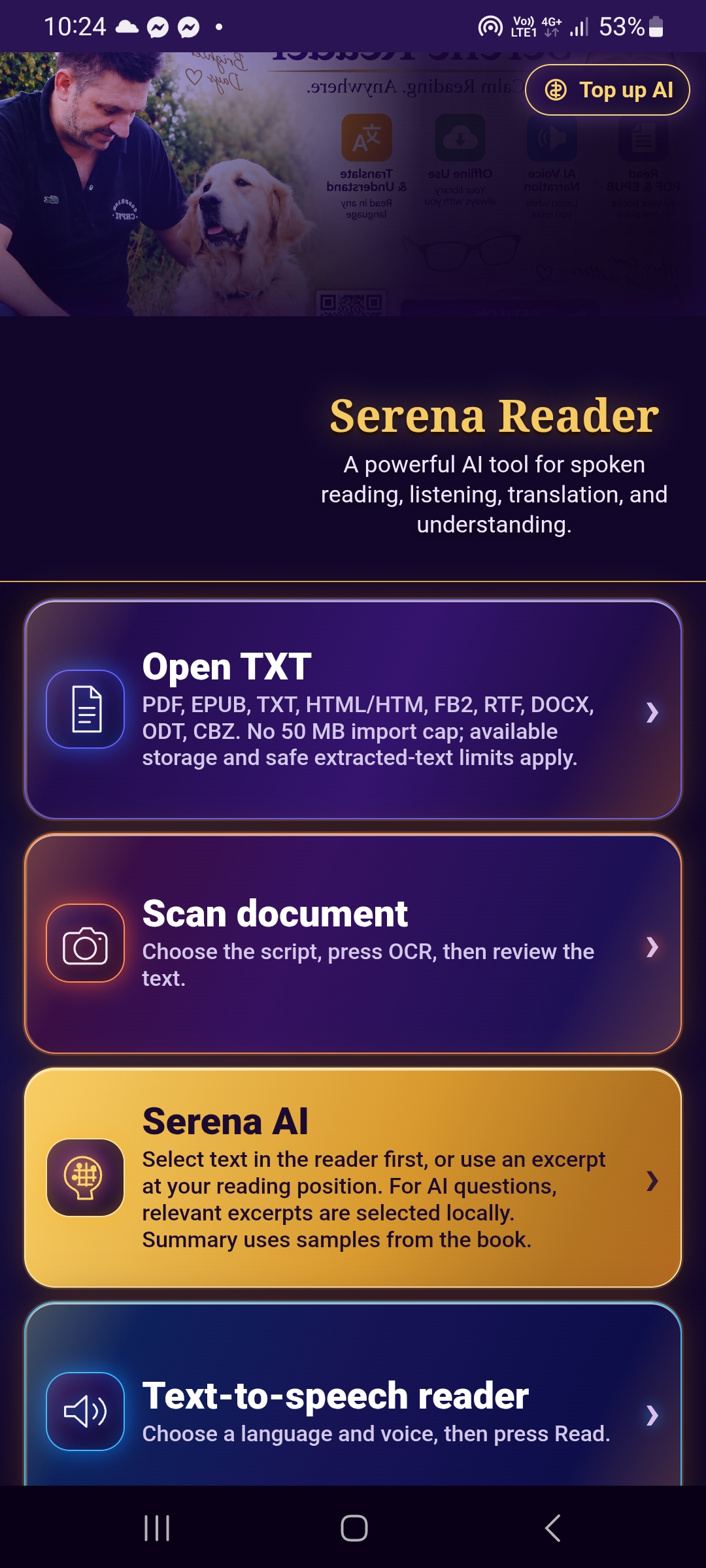
Serena Reader home screen with main tool cards
Home Screen — open full-size screenshot
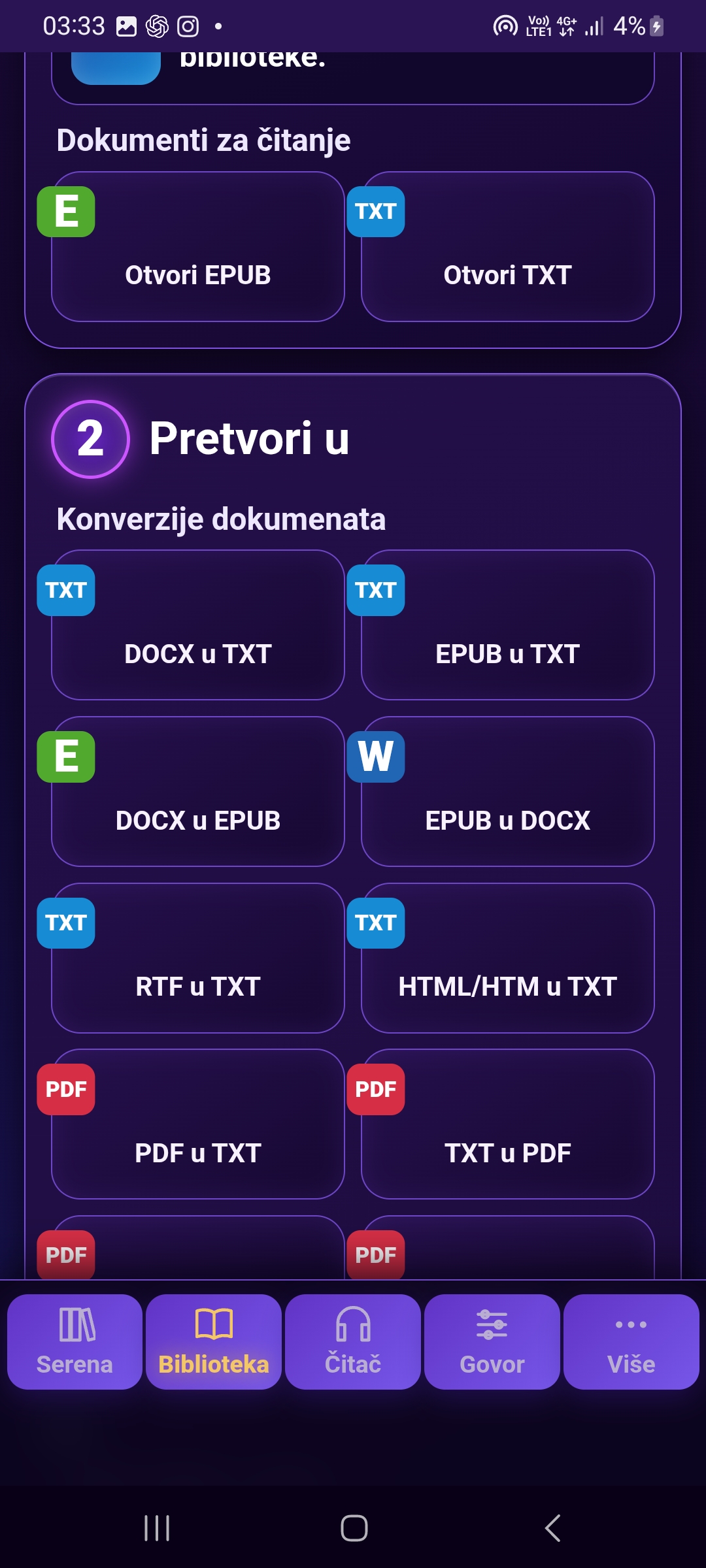
Document converter screen with an input file selected
Document Converter — open full-size screenshot
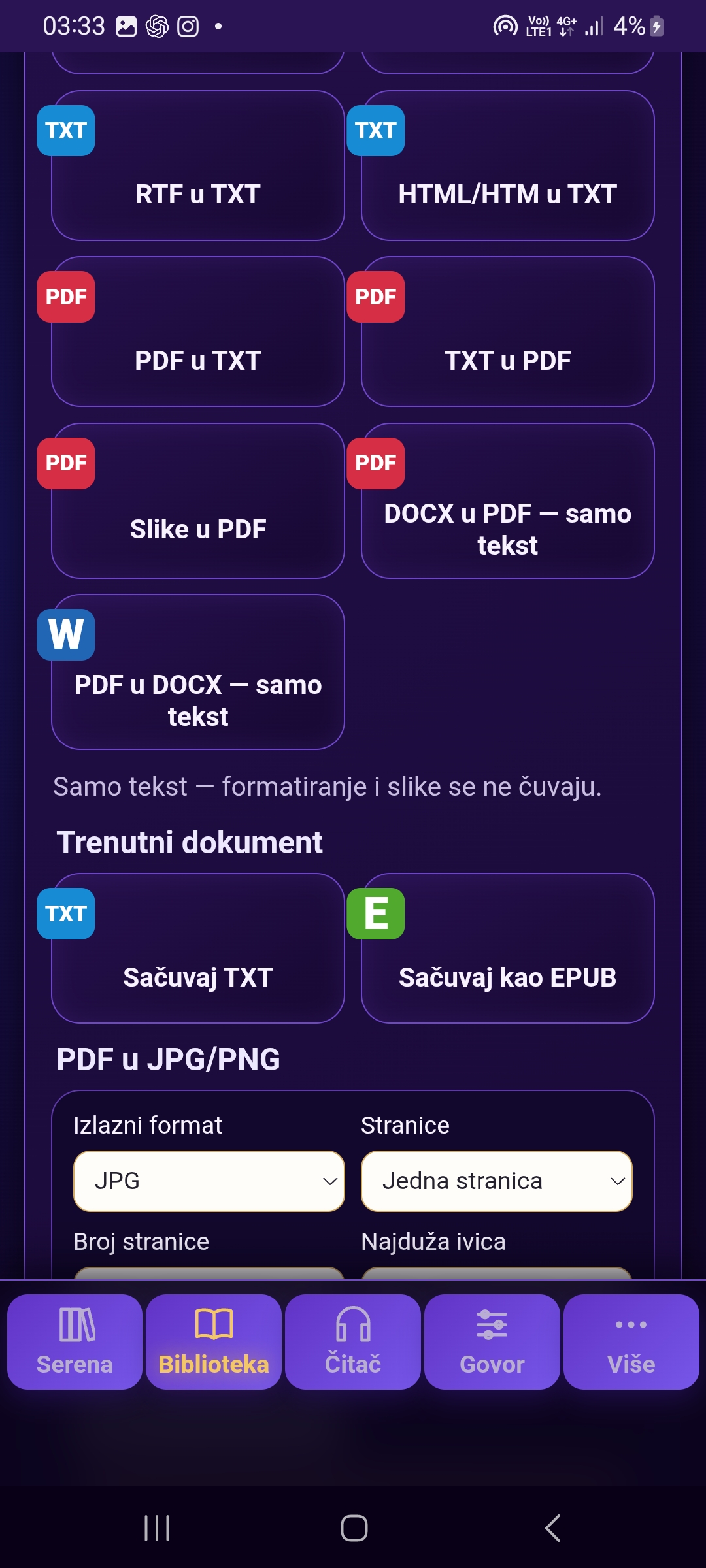
PDF and image conversion settings in Serena Reader
Conversion Formats and Options — open full-size screenshot
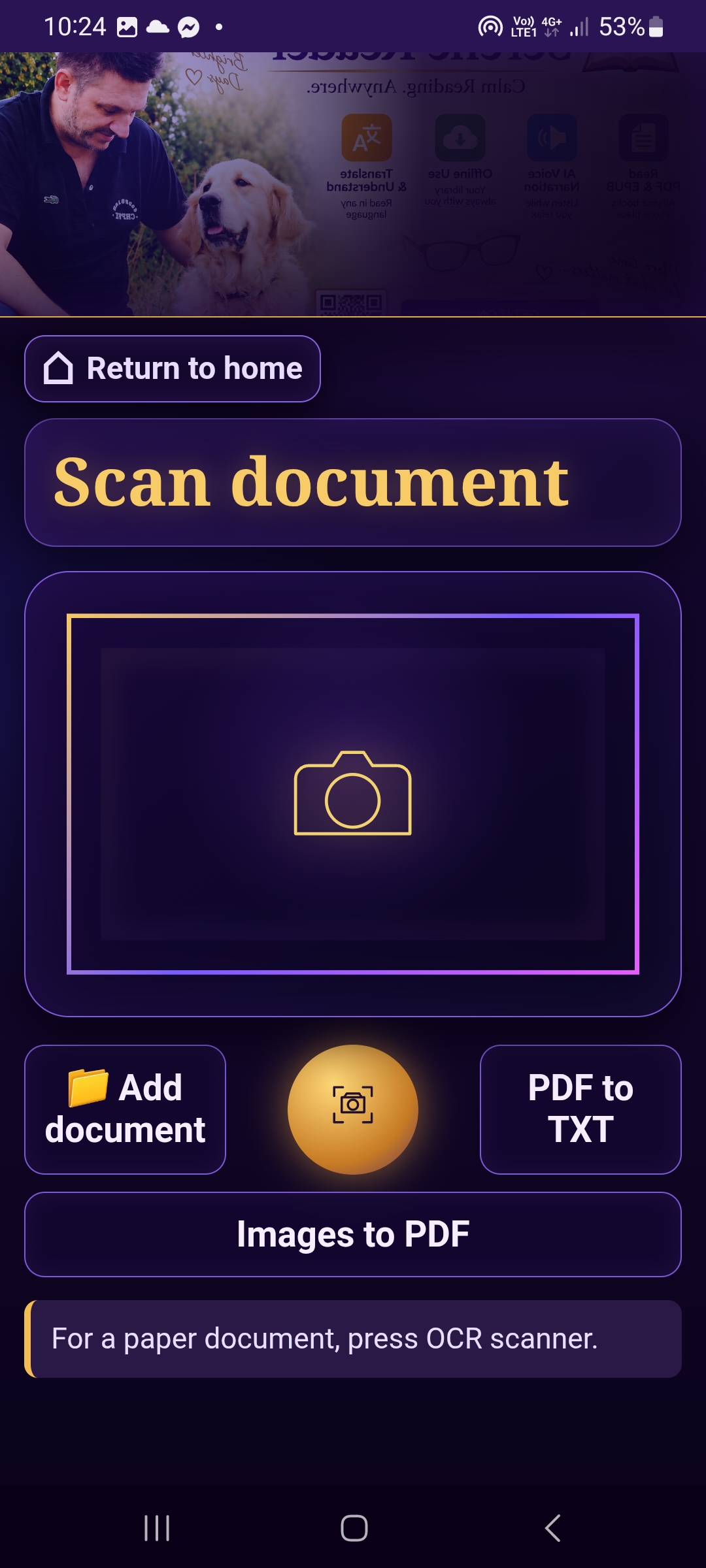
Document scanning screen in Serena Reader
Document Scanning — open full-size screenshot
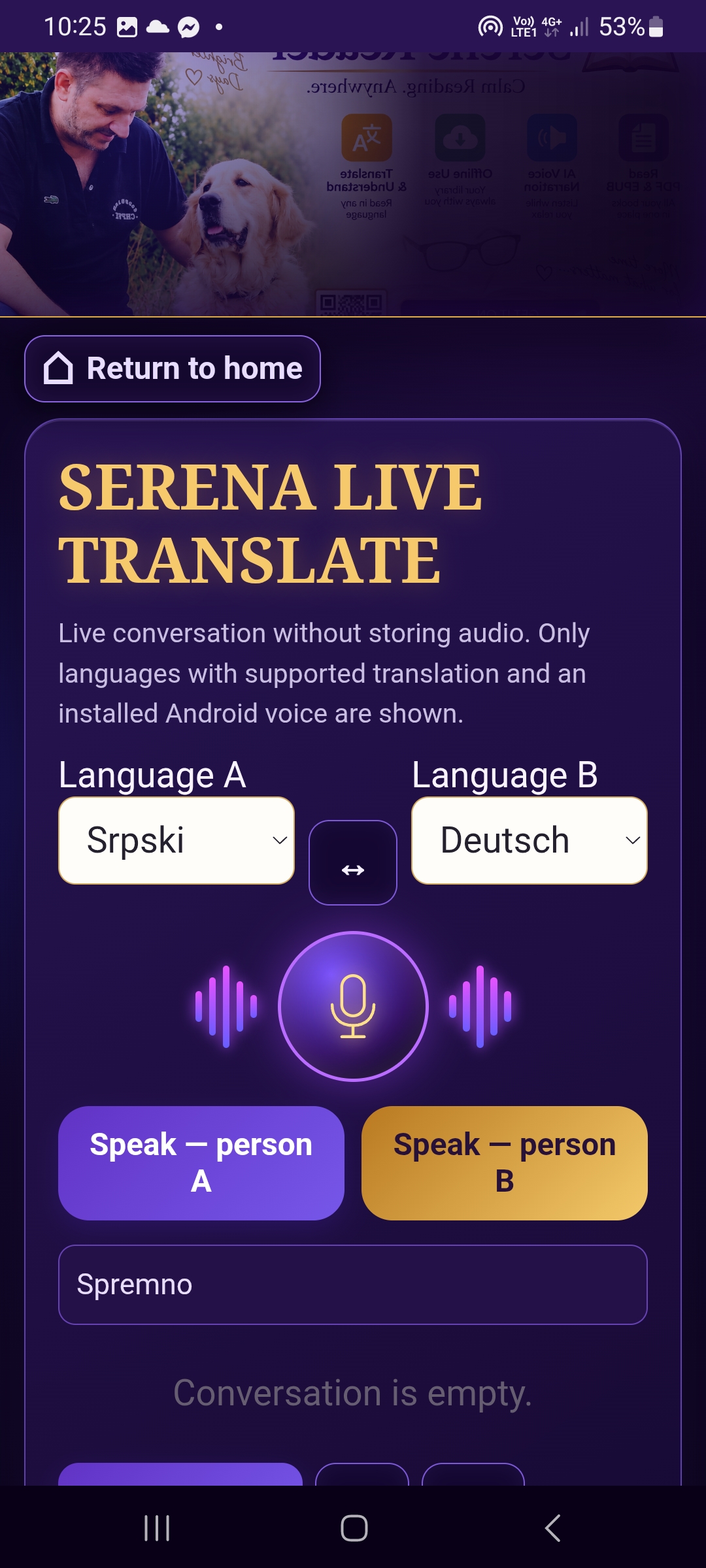
Live Translate screen with two languages selected
Live Translate — open full-size screenshot
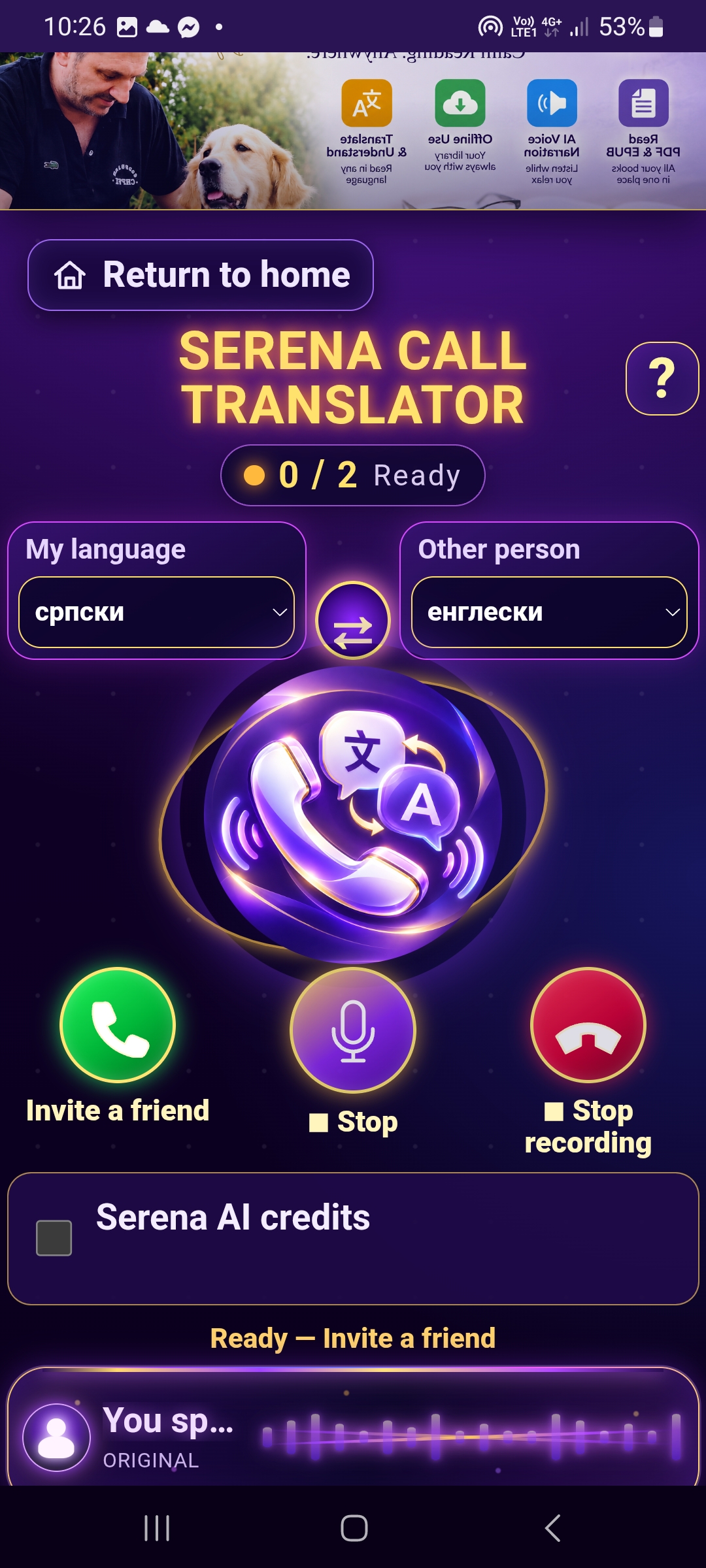
Serena Call Translator screen for translated voice conversations
Serena Call Translator — open full-size screenshot
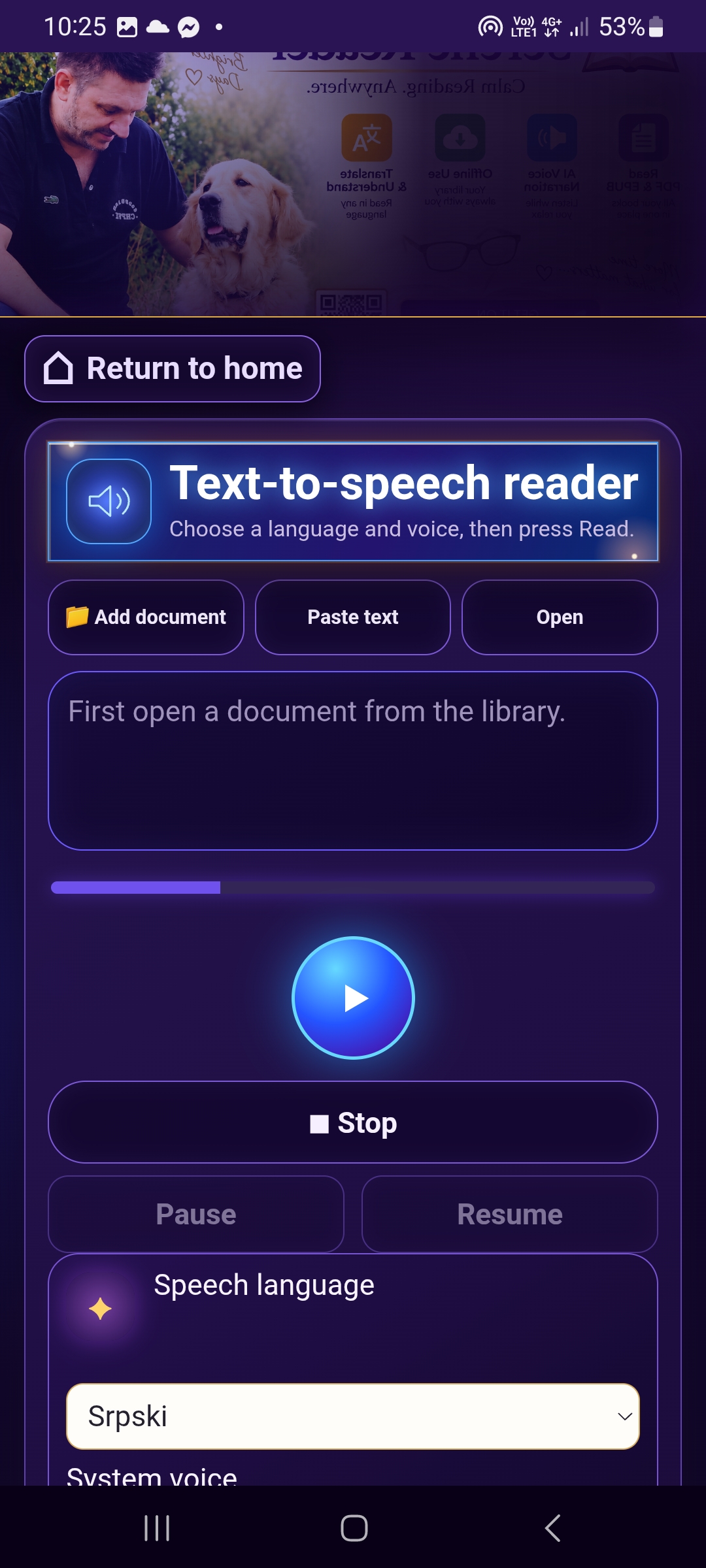
Read-aloud and voice settings
Reading Aloud — open full-size screenshot
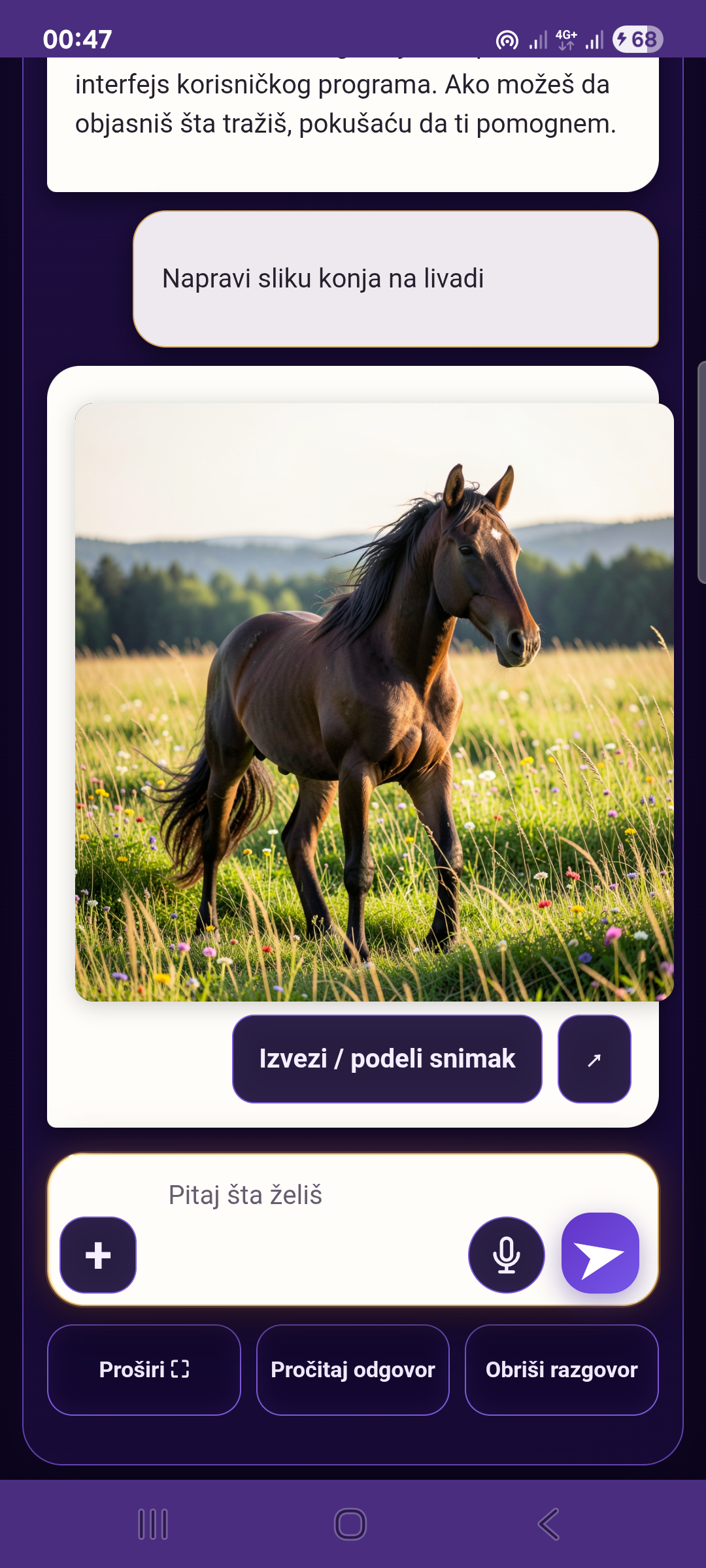
Serena AI generates a horse in a meadow from a text description. The original screenshot is in Serbian.

WHAT CAN SERENA READER DO? · 138

Overview of verified capabilities based on the existing inventory. Item 114 has been omitted because a Cyrillic OCR option does not establish the availability of a Cyrillic user interface.

Serena Call Translator

Two participants hold a voice conversation over the internet; the service recognizes, translates, and speaks each person's words to the other participant. Available in Serena Reader 3.0.10.

  1. Start a translated voice conversation.
  2. Android user as the host.
  3. Guest joins through the Chrome browser.
  4. Share an invitation link.
  5. Two-way speech translation.
  6. Host's speech translated for the guest.
  7. Guest's speech translated for the host.
  8. Automatic spoken translation.
  9. Controlled handoff of the active microphone.
  10. Billing from the host's V2 wallet, a free guest, and a one-time allowance of 60 free seconds.

Live Translate

Choose source and target languages, speak into the microphone, and read or listen to the translation. Language availability depends on the selected local or AI processing method.

  1. Speak into the microphone.
  2. Convert speech to text.
  3. Translate recognized speech.
  4. Choose the source language.
  5. Choose the target language.
  6. Display translated text.
  7. Speak the translation aloud.
  8. Choose an available narrator.
  9. Use a Natural Voice voice where supported.
  10. Translate over the internet using AI credits.

Free document and image converter

The converter processes supported documents locally. Text conversions do not guarantee preservation of images, tables, fonts, or the original layout.

  1. Open the local converter.
  2. Select a PDF document.
  3. Extract text from a suitable PDF.
  4. Convert PDF → TXT.
  5. Import an EPUB file.
  6. Import a TXT file.
  7. Preview extracted text.
  8. Process files without a paid AI request.
  9. Process supported files locally.
  10. Use converted text in other tools.

Supported Format Details for Converter Items

Verified conversion paths include PDF/DOCX/EPUB/RTF/HTML/HTM to TXT, TXT to PDF/DOCX/EPUB, DOCX↔EPUB, and DOCX↔PDF for text only. Between 1 and 20 JPG/JPEG, PNG, or WebP images can be combined into a PDF, one image per page, without OCR. A single photo can be exported as JPG/PNG/WebP with options for its longest edge and quality; PNG ignores the quality setting. PDF pages can be exported as JPG/PNG individually or all together in a ZIP archive; resolution and quality settings are available.

A scanned PDF is not automatically processed with OCR; use the separate OCR tool to recognize text.

Process files without a paid AI request. Process supported files locally.

Serena AI — text, images and speech

AI can answer questions and help summarize, explain, simplify, edit, or translate text. The selected mode determines the price in V2 credits.

  1. Ask the AI assistant a question.
  2. Get a direct answer.
  3. Chat with Serena AI.
  4. Ask questions about an uploaded document.
  5. Summarize long text.
  6. Explain complex text.
  7. Simplify content.
  8. Edit and refine text.
  9. Translate text with AI.
  10. Enter questions by voice and listen to answers where supported.

OCR Scanner & AI OCR Pro

Local OCR recognizes text from supported images and documents. AI OCR Pro is a separate feature for advanced processing and per-successful-page billing.

  1. Scan photographed text.
  2. Recognize text in an image.
  3. Extract text from a document.
  4. Process scanned PDF content.
  5. Use AI to process challenging scans.
  6. Turn recognized content into digital text.
  7. Copy recognized text.
  8. Send text to the reader.
  9. Send text to the Serena AI assistant.
  10. Charge for AI OCR Pro per successfully processed page, with protection against duplicate charges.

Serena Natural Voice

Available voices and languages depend on the service and internet connection. The first 250 characters per account per day are covered by a free allowance; subsequent successfully generated characters cost 1 V2 credit each.

  1. More natural-sounding AI speech.
  2. Read entered text with a natural voice.
  3. Read imported documents with a natural voice.
  4. Choose an available natural voice.
  5. Match the voice to the selected language.
  6. Prepare longer text in speech segments.
  7. Play generated speech.
  8. Use over a mobile data connection.
  9. Existing daily free allowance of up to 250 characters.
  10. Charge one V2 credit per successfully generated character.

Read Aloud

The reader uses Android TTS voices installed on the device. Offline reading depends on whether a suitable voice is available offline.

  1. Convert text to speech.
  2. Start reading.
  3. Stop reading.
  4. Resume reading.
  5. Choose a narrator.
  6. Adjust reading speed.
  7. Adjust voice pitch.
  8. Choose the spoken language.
  9. Use an available Android TTS voice.
  10. Read offline when a suitable voice is installed.

Opening and Importing Text

Import content by selecting a file, using the clipboard, sharing from another app, or entering a supported HTTPS URL. Actual formats depend on the parser and device.

  1. Open a text document.
  2. Import a TXT file.
  3. Import an EPUB book.
  4. Open a PDF to extract text.
  5. Copy text from other apps.
  6. Paste text using Copy–Paste.
  7. Enter a webpage URL.
  8. Read text from webpages.
  9. Receive shared text through Android Share.
  10. Send imported text to Serena tools.

My Library

The library provides access to saved texts and lets you use them with supported reading and AI tools.

  1. Open your personal library.
  2. Add text to the library.
  3. Save imported texts.
  4. Browse saved items.
  5. Select a previously saved text.
  6. Reopen text.
  7. Read saved content.
  8. Listen to saved content read aloud.
  9. Send content to AI features.
  10. Organize texts using the existing library controls.

Languages, Appearance, and Accessibility

The website retains its existing language URLs. Display availability and RTL support depend on the specific feature.

  1. Interface in 63 languages.
  2. Manually choose the interface language.
  3. Serbian Latin script.
  4. English interface.
  5. Other supported world languages.
  6. Arabic and RTL layout where implemented.
  7. Dark theme.
  8. Light theme.
  9. Sepia theme.

User Account and AI Credits

Paid AI operations use the shared V2 Wallet. Check the offer before confirming. Available packages and the final price in your currency appear in the in-app Google Play purchase.

  1. Download the app for free.
  2. Link a Google account.
  3. Automatic secure sign-in restoration.
  4. One shared Serena AI wallet.
  5. View available credits.
  6. Use the same credits across paid tools.
  7. Choose a credit top-up package.
  8. Purchase credits through Google Play Billing.
  9. Low-balance notice and top-up button.
  10. Preserve a typed question during sign-in or top-up.

14. AI image generation and editing

Create an image from the user's text description. Edit existing photos and images with AI. Change image details using text instructions. Display the newly generated AI image. Use the shared V2 Wallet for AI image processing.

  1. Generate new images using artificial intelligence.
  2. Create an image from the user's text description.
  3. Edit existing photos and images with AI.
  4. Change image details using text instructions.
  5. Attach an existing image as the basis for AI editing.
  6. Display the newly generated AI image.
  7. Display the AI-edited version of an existing image.
  8. Confirm the paid operation before using AI credits.
  9. Use the shared V2 Wallet for AI image processing.
Prices and V2 credits

Free Tools

  • Basic local reading and library controls.
  • Read Aloud uses available Android TTS voices; offline operation depends on the installed voice.
  • Local OCR and available on-device translation do not consume AI credits when processing takes place locally.
  • The Converter processes supported files locally; format limitations are listed above.

Paid Serena AI Operations

FeatureRateStatus / Condition
Serena AI150 / 350 / 700 / 1,000 V2 credits / operationDepending on the selected mode
Serena AI Internet Search350 basic / 700 multi-sourcePaid AI operations use the shared V2 Wallet. Check the offer before confirming.
Generate new images using artificial intelligence.1,000 V2 credits / operationPaid AI operations use the shared V2 Wallet. Check the offer before confirming.
Edit existing photos and images with AI.1,000 V2 credits / operationPaid AI operations use the shared V2 Wallet. Check the offer before confirming.
AI OCR Pro—The exact price is shown in the app before a paid operation.
AI translation—The exact price is shown in the app before a paid operation.
Natural Voice1 V2 credit per successfully generated characterPaid AI operations use the shared V2 Wallet. Check the offer before confirming.
Ask a Lawyer — AI Legal Assistant2,000 / 4,000 / 5,000 / 16,000 V2 credits / operationPaid AI operations use the shared V2 Wallet. Check the offer before confirming.
Serena Call Translator500 V2 credits per billable minute (500 V2 / 60 s)Guest is free; host receives a one-time allowance of 60 free seconds
Live Translate AI—The exact price is shown in the app before a paid operation.

V2 Wallet top-up packages

Available packages and the final price in your currency appear in the in-app Google Play purchase.

  • 20,000 V2credits
  • 50,000 V2credits
  • 100,000 V2credits
  • 200,000 V2credits
  • 300,000 V2credits
  • 500,000 V2credits

Rates are expressed in Serena AI V2 credits.

Explore Serena Reader 3.0.11

Reading, speech, translation, AI and document tools designed to work together.

Serena AI — text, images and speech

Chat about text, summarize, explain, translate, edit and proofread. Use voice input and read answers aloud. Serena AI works from provided content and does not present unsupported assumptions as facts.

AI answers based on web searches and sources.

Generate new images using artificial intelligence. Create an image from the user's text description.

Edit existing photos and images with AI. Attach an existing image as the basis for AI editing. Change image details using text instructions.

Paid AI operations use the shared V2 Wallet. Check the offer before confirming.

OCR and AI OCR Pro

Turn photographed or scanned pages into editable text. Local OCR uses no AI credits; AI OCR Pro helps with harder documents after confirmation.

Read Aloud and Natural Voice

Listen with local Android voices or Serena Natural Voice online. Adjust speed and pitch, then pause and resume.

Live Translate

Speech → translation → speech. Two people can speak in different supported languages and listen to the translated conversation.

Ask a Lawyer — Serbia

Ask a legal-information question, continue in chat, or prepare a draft complaint, objection, request, petition, contract or decision. It uses official, source-first information and does not guess.

Free document and image converter

The converter processes supported documents locally. Text conversions do not guarantee preservation of images, tables, fonts, or the original layout.

PDF → TXT · DOCX (Word) → TXT · EPUB → TXT · RTF → TXT · HTML/HTM → TXT · TXT → PDF / DOCX / EPUB · DOCX ↔ EPUB · DOCX ↔ PDF

Verified conversion paths include PDF/DOCX/EPUB/RTF/HTML/HTM to TXT, TXT to PDF/DOCX/EPUB, DOCX↔EPUB, and DOCX↔PDF for text only. Between 1 and 20 JPG/JPEG, PNG, or WebP images can be combined into a PDF, one image per page, without OCR. A single photo can be exported as JPG/PNG/WebP with options for its longest edge and quality; PNG ignores the quality setting. PDF pages can be exported as JPG/PNG individually or all together in a ZIP archive; resolution and quality settings are available.

A scanned PDF is not automatically processed with OCR; use the separate OCR tool to recognize text.

Process files without a paid AI request. Process supported files locally.

Library and Copy-Paste import

Save, organize and reopen documents. Paste text or send selected text from another Android app, then read, translate, listen or use Serena AI.

A 63-language interface

Choose the interface language at any time. Speech, OCR and translation availability can depend on Android services, installed voices and online support.

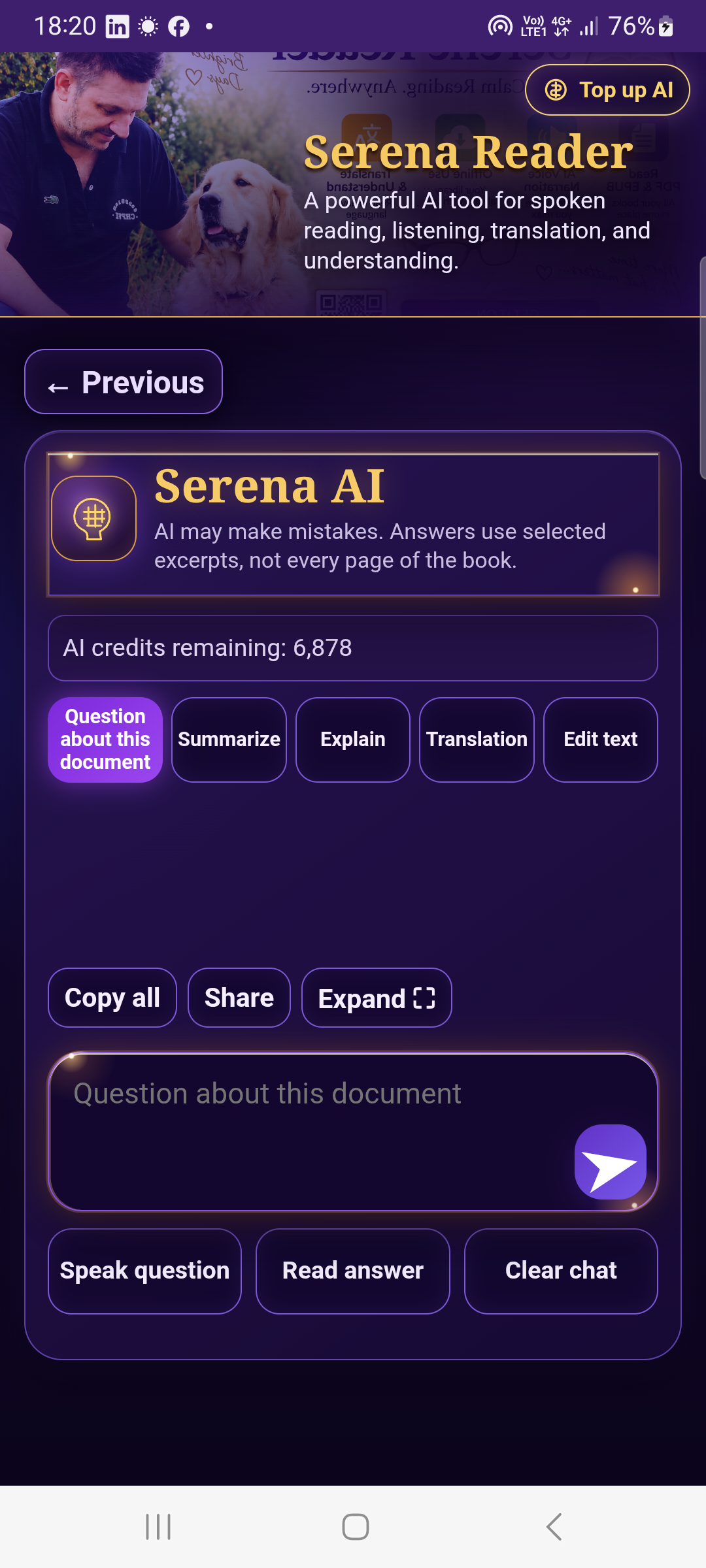
Real Serena Reader 3.0.11 screen in this interface language on a Samsung Android phone.

Available in Serena Reader 3.0.11.

Serena Call Translator

Speak your language. Hear theirs. Understand each other.

Guest is free; host receives a one-time allowance of 60 free seconds

Paid AI operations use the shared V2 Wallet. Check the offer before confirming.

Two people. Two phones. Different languages. One conversation.

One connected workflow

Open or scan a document, read it, listen, translate, ask Serena AI and save the result without moving between unrelated apps.

PDF / EPUB / TXT → OCR / Reader → Speech / Translate / AI
DOWNLOAD FOR FREE

Frequently asked questions

Is Serena Reader available for Android?

Yes. Serena Reader 3.0.11 is available for Android through Google Play.

Does Read Aloud work offline?

Local Android TTS can work offline when a suitable voice is installed. Serena Natural Voice is an online option.

What does Live Translate do?

It follows speech → translation → speech so two people can review and hear translated conversation.

Is Ask a Lawyer legal advice?

No. It provides legal information and document drafts for Serbia and does not replace an authorized professional.

All interface languages